
Application-Specific Settings are Tools and tablet settings of professional Wacom products that have been customized for individual applications. The control panel enables you to program a tool to behave uniquely in different applications.
Your application-specific settings are in effect whenever you use the application, because the driver detects the active application automatically. – Also see "Tool buttons".
- To make application specific settings by adding the application being used to the application list by clicking on the “+” icon on the row for Application.

- Once open, the list of all open applications will be listed for easy selection. If the application is not open, use the browse button to look for the desired application in the Windows program files folder.
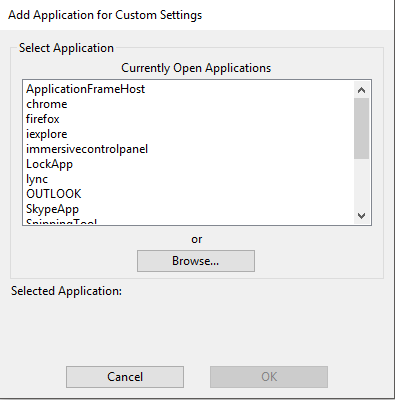
- Select the application desired, in this example Outlook, and click “OK.” Outlook will now be listed in the Application window.

- Click on the application added to select it from the application pane. Any adjustments to the settings while the application is selectedwill affect that application only.
Comments
0 comments
Please sign in to leave a comment.